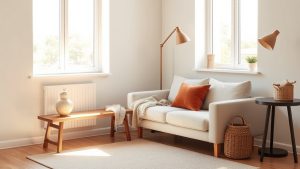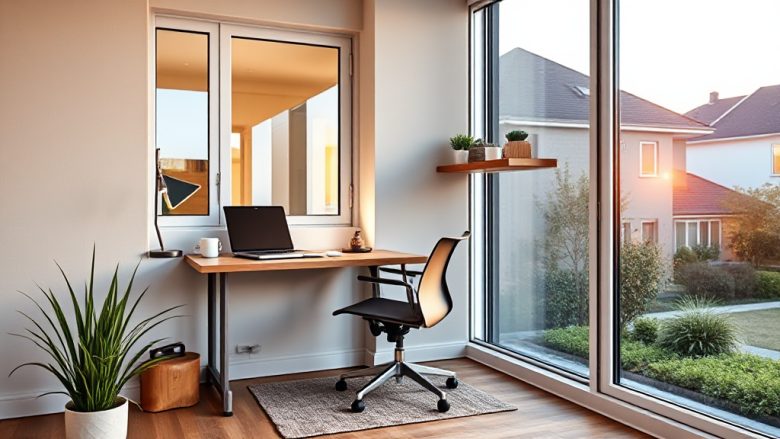
Picture your last working day. Not the whole thing, just three moments: the moment you shifted in your seat because something ached, the moment you got up because you couldn’t reach something, and the moment you lost focus because of a noise, a glare, or a cluttered surface. Those three moments are your design brief. A beginner guide to home office design usually starts with Pinterest boards and paint swatches, but the only spec that matters is how you actually work between nine and five.
This beginner guide to home office design is built around a single day, from the first email to the last call, so every choice you make has a job to do. If you can walk through your own routine and tick off the moments below, you’ll end up with a workspace that fits your body and your calendar rather than a showroom photograph.
Start With Your Morning Light
Light is the first thing your workspace gets wrong, and it’s the hardest to fix later. Before you buy a single piece of furniture, sit where you plan to put the desk at the time you normally start work. If you’re facing a window, you’ll spend the morning squinting into glare and the afternoon watching your own shadow crawl across the keyboard. If the window is directly behind you, every video call turns you into a silhouette.
The fix is sideways. Put the desk so the window sits to your left or right, roughly at ninety degrees to your line of sight. You get the daylight without the glare, and your face stays evenly lit on camera. If the room only gives you one wall, a cheap sheer curtain or a light-diffusing blind softens the worst of it.
Then deal with the hours after dark, because winter afternoons arrive early. One overhead light is rarely enough and often too harsh. A desk lamp placed on your non-dominant side, so your writing hand doesn’t cast a shadow over the page, plus a warm light somewhere behind you, covers most evenings. Avoid a lamp that shines straight into your eyes or reflects off a glossy monitor. If you can see the bulb in your peripheral vision, move it.
Desk Height and Reach: The Two Numbers That Matter
Most first desks are chosen by width and colour. The two measurements that actually decide whether you’ll still like the desk in six months are height and reach.
Height first. Sit down, let your shoulders drop, and bend your elbows to roughly ninety degrees. Your forearms should rest level, wrists straight, without your shoulders creeping up toward your ears. If the desk is too high, you’ll raise the chair and your feet will dangle; if it’s too low, you’ll hunch. Standard desks sit somewhere between 72 and 75 centimetres, which suits a tallish person and punishes everyone else. A height-adjustable desk solves this outright, but a fixed desk plus a footrest and a cushion can get you close for far less.
Reach is the quieter problem. Everything you touch more than a few times an hour should live within an arm’s sweep without you twisting or standing. That means the keyboard and mouse directly in front, the phone and notepad within easy reach, and the things you use once a day pushed further out. The test is simple: sit normally and see whether you can grab your mug, your notebook and your headphones without rotating your torso. If you have to lean, the layout is wrong, not your posture.
Screen distance is part of the same calculation. An arm’s length away, with the top of the screen roughly at eye level, keeps your neck neutral. If you wear glasses, tilt the screen slightly rather than dropping your chin.
Chair and Posture Without the Lecture
You don’t need an expensive chair to sit well, but you do need one that adjusts. Seat height, seat depth, and backrest angle are the three settings worth having. Set the height so your feet rest flat, then adjust the backrest so it supports the curve of your lower back rather than poking it. If the seat pan is too deep, slide a cushion behind you; if it’s too shallow, you’ll feel the edge under your thighs after an hour.
Posture advice tends to assume you’ll sit perfectly still, which nobody does. The realistic goal is variety. Change position every twenty to thirty minutes, even slightly. A footrest, a cushion, or a stool you occasionally perch on all help. Standing for part of the day is useful if you have an adjustable desk, but standing all day just moves the ache to your feet.
One more thing beginners overlook: the floor. If you’re on a hard surface, your chair will slide and your feet will complain. A thin rug or a set of castor cups stops the drift and quietly improves everything above it.
Sound, Calls and the Reality of Sharing a Home
If you take calls, sound design matters as much as the desk. Hard floors, bare walls and large windows bounce your voice around, which makes you sound like you’re in a bathroom and makes every background noise louder. Soft furnishings absorb that. A rug, a curtain, a bookshelf, even a fabric noticeboard behind your monitor all reduce the echo. You don’t need acoustic panels; you need fewer hard surfaces.
Where you sit relative to doors and hallways decides your call quality more than any microphone. Facing a wall rather than an open room means your voice hits a soft surface instead of travelling. If you share the space, agree on a visual signal for calls so nobody walks in mid-sentence, and keep a pair of headphones within reach for the days when the house is loud.
For video, a plain wall behind you beats a busy shelf, and a light source in front of you beats one overhead. You don’t need a studio; you need to avoid being backlit and avoid clutter that pulls attention away from your face.
Storage That Survives a Busy Week
The storage that works is the storage you can use while tired. If filing something away takes three steps, it ends up in a pile on the desk, and by Friday the pile has opinions.
Start with the surface. Keep the desk itself clear apart from what you’re using right now. That means a home for everything else: a drawer for pens, chargers and cables; a tray for papers that are in play this week; a box or shelf for the archive you rarely touch. The distinction is between active and dormant, and it’s the only filing system most home workers need.
Cables deserve their own moment because they multiply. Route them behind the desk with clips or a simple tray, label the ones you unplug often, and keep one spare charger in a known place. When you need to move your laptop to the kitchen table, you’ll thank yourself.
Vertical space is usually free and unused. A shelf above the desk, a small drawer unit on castors, or a wall hook for headphones costs little and keeps the working surface honest. Just don’t fill the shelf with things you never look at; visual clutter is a distraction even when it’s tidy.
Your Printable Checklist for the First Working Day
Before you buy anything, walk through a normal day and mark the friction points. Then run this list against your plan.
Morning: is the light beside you rather than in front or behind, and can you see the screen without glare at the time you actually start? Mid-morning: can you reach your keyboard, mouse, phone and drink without leaning or twisting, and are your feet flat with your elbows near ninety degrees? Afternoon: does the chair adjust enough to change position through the day, and is there a rug or footrest under you? Calls: is there soft material in the room to reduce echo, and is your background plain enough to read on camera? End of day: does everything you used have a home that takes one motion to reach, and is the desk clear enough to start again tomorrow?
If you can answer yes to those, you’ve designed around your workday rather than around a photograph. That’s the whole point of a beginner guide to home office design: start with the three moments you noticed, fix those first, and let the rest of the room follow.
Frequently Asked Questions
How much space do I really need for a home office?
Less than you’d think. A desk around 120 centimetres wide and 60 deep fits most laptops, a second screen and a notepad, and you need roughly a metre of clear floor behind the chair to push back comfortably. A corner of a bedroom or a wide hallway can work if the light and reach are right.
Do I need a height-adjustable desk as a beginner?
No, but it’s the single upgrade that fixes the most problems at once. If the budget won’t stretch, a fixed desk at the right height for your body, plus a footrest and a cushion, gets you most of the benefit. Measure your seated elbow height before you buy anything.
How do I stop a shared room from ruining my calls?
Soft surfaces do most of the work. Add a rug, a curtain and something fabric-covered on the wall in front of you, and face a wall rather than an open doorway. A visual signal for call times and a pair of headphones handle the rest.
What should I set up first if I’m on a tight budget?
Chair height and screen position first, because they affect every hour of the day. Then light control, then storage. A cheap lamp, a footrest and a tray for active papers will change how the space feels more than any decorative purchase.